A machine’s movable knife has to be set at the right angle and position so it can move freely. The assembly of the other, smaller parts of the movable knife should also be positioned correctly to allow the knife to move. When the movable knife is in the correct position, its tip should rest just under the stationary knife.
However, if the stationery knife is not correctly positioned or if you have not inserted the movable knife correctly into the stationery knife, it will affect your movable knife’s performance. It’s also key to keep up with regular maintenance of your machine to ensure your movable knife is working properly.
Important Tip: Check the machine periodically to prevent mechanical errors and increase its life span.
Watch this video to see how to do regular maintenance on your machine. This was made for the MT-1501 but can be applied to most other single head machines:
Here is where you can find your machine’s movable knife within the needle plate:
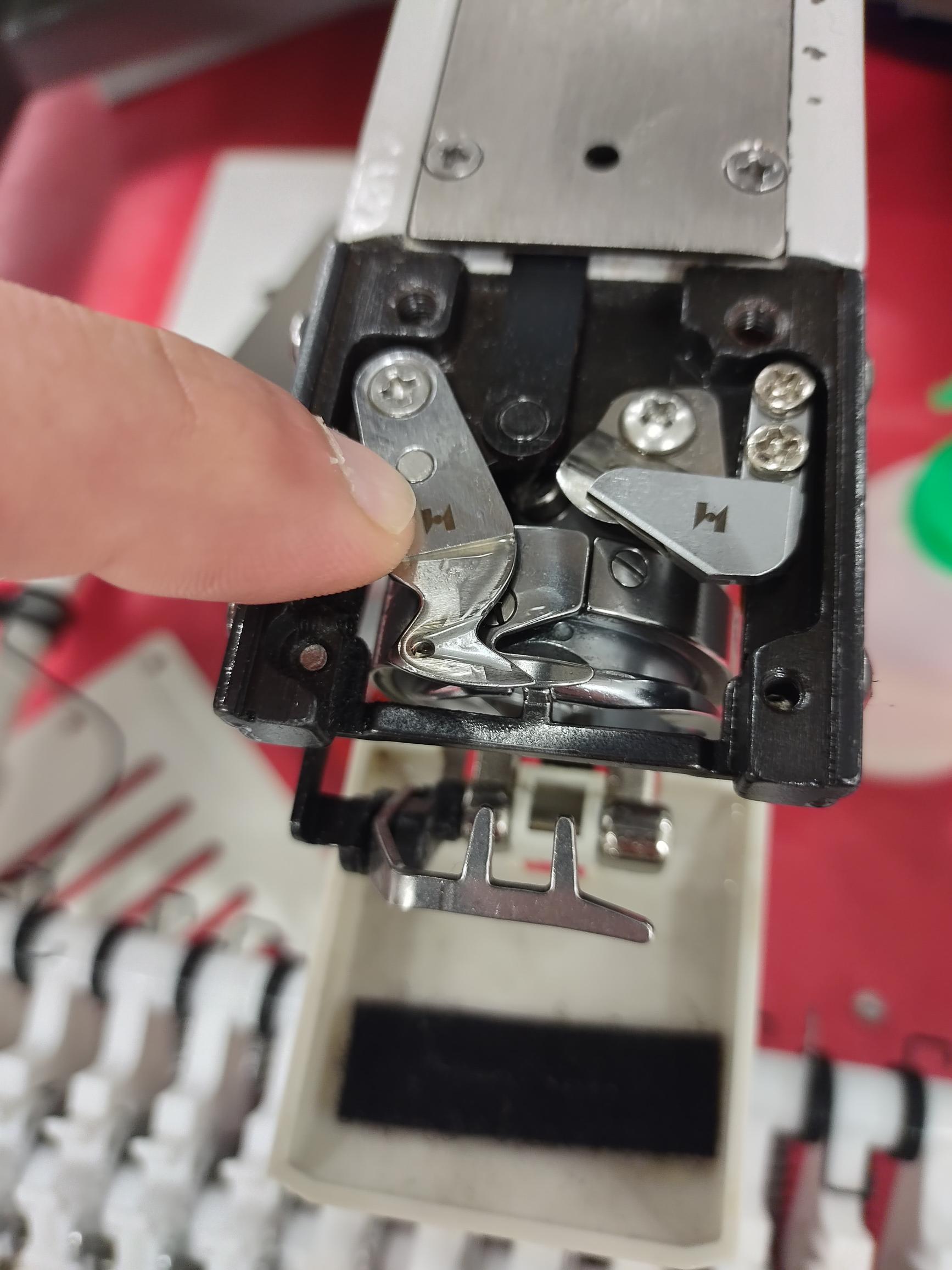
To resolve your issue, follow the instructions listed below.
- Check the needle plate: Open the needle plate to ensure the knife does not have any build-up. If it does, you’ll need to clean it. Also, be sure to check for any obstructions that could cause the knife to become unmovable.
- Check the rod: Check the rod and ensure it is connected to the knife as well as in the back. Inspect the rod and ensure it is in good condition. If you find the rod is bent, flip the rod.
- Check the screw: Make sure the screw on the motor and the joint is secure and not loose. If it is loose, you’ll need to tighten it.
- Check the motor: Check the motor and make sure it is not firing. Check the connections of the motor and make sure everything is secure. Check the trim motor. If the trim motor appears damaged in any way, you’ll need to replace it.
If you’d like more helpful information regarding your machine’s movable knife, please review the following resources below:
Ricoma RCM 1501 Owner’s Manual - Page 32
Ricoma RCM 1501 Owner's Manual - Page 21
Need additional help?
Please feel free to contact us via email at service@ricoma.com or visit our support page at www.ricoma.com/US/support for additional assistance.